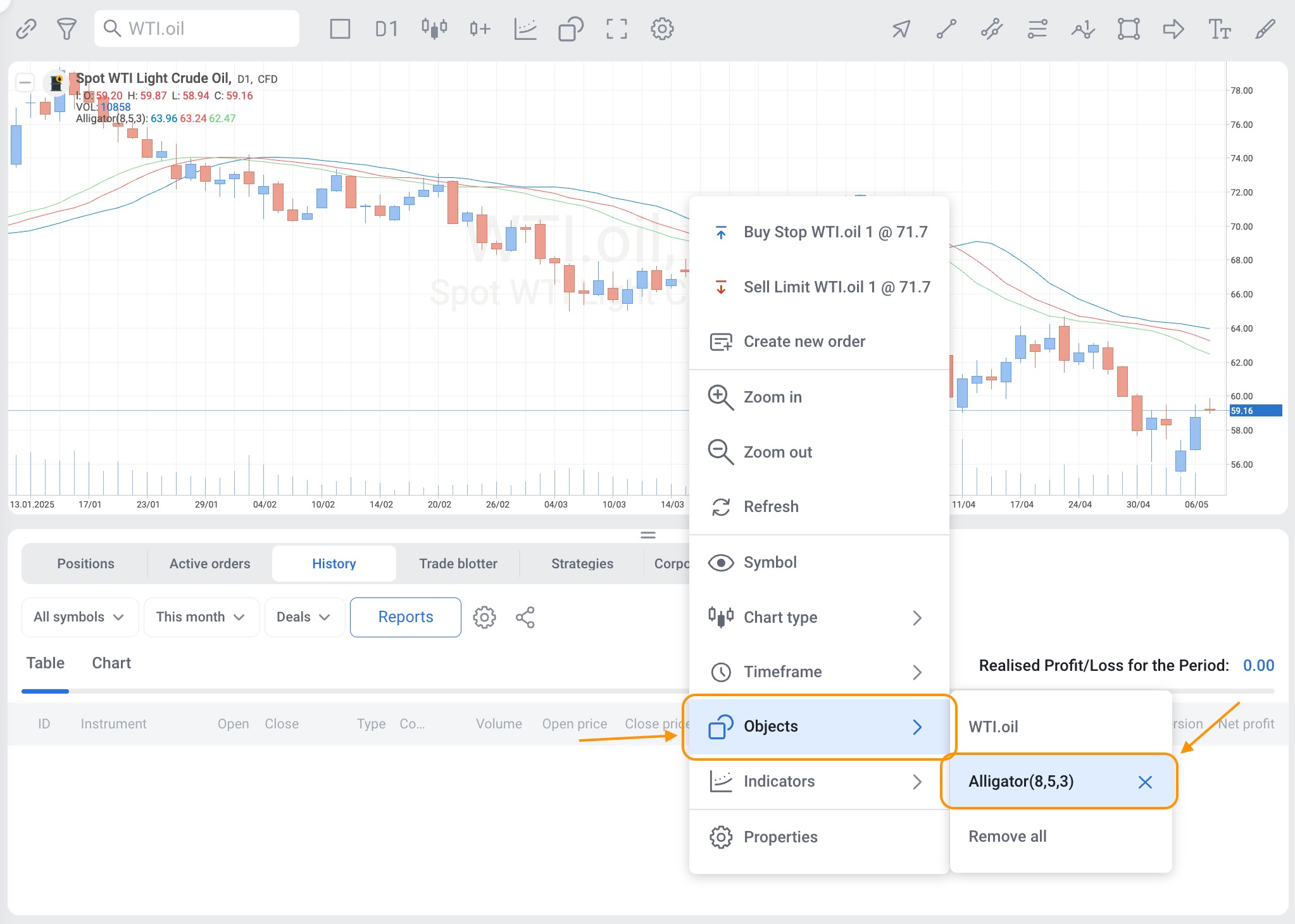
To remove a trend indicator from your chart, follow these steps:
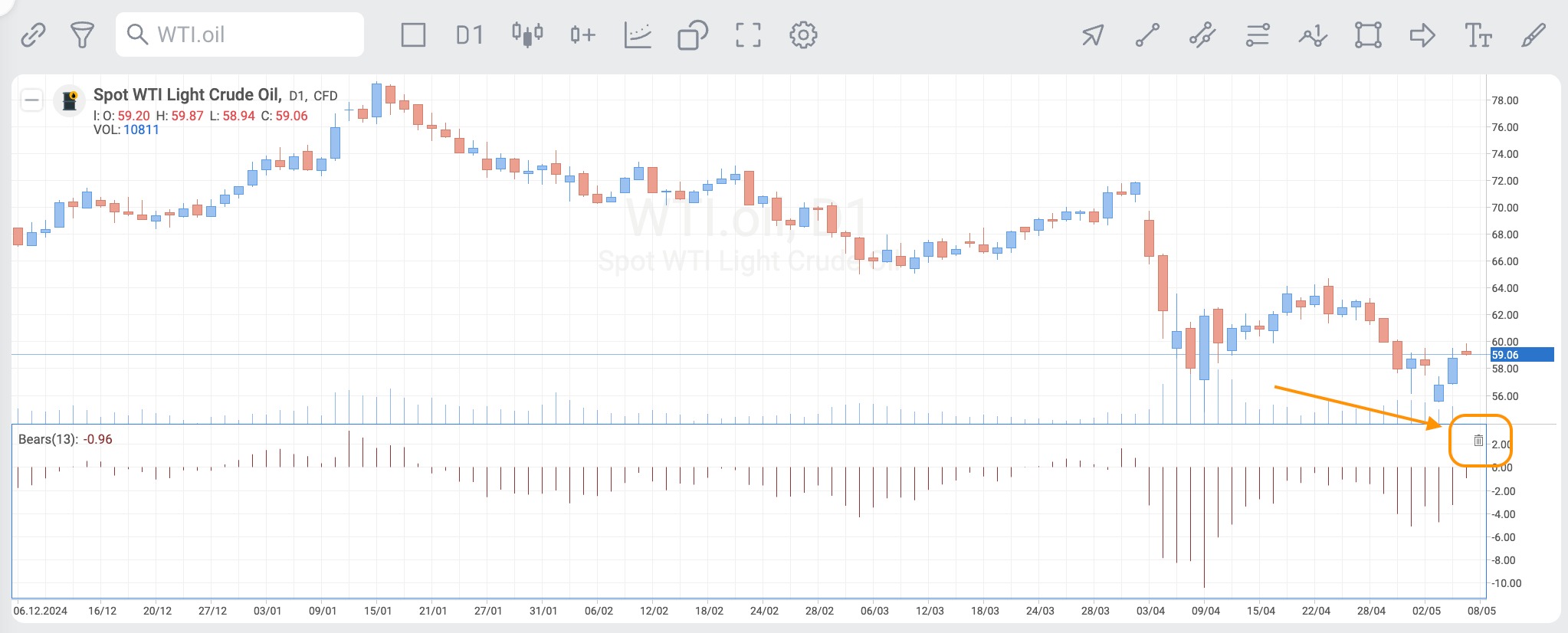
1. Open the chart where the trend indicator is applied.
2. Locate the trend indicator you wish to remove and move your mouse cursor to it.
3. Click the garbage can icon in the top right corner of the indicator window.
Alternatively, right-click on the chart, go to "Objects" section of the menu, click the X icon to remove the indicator.