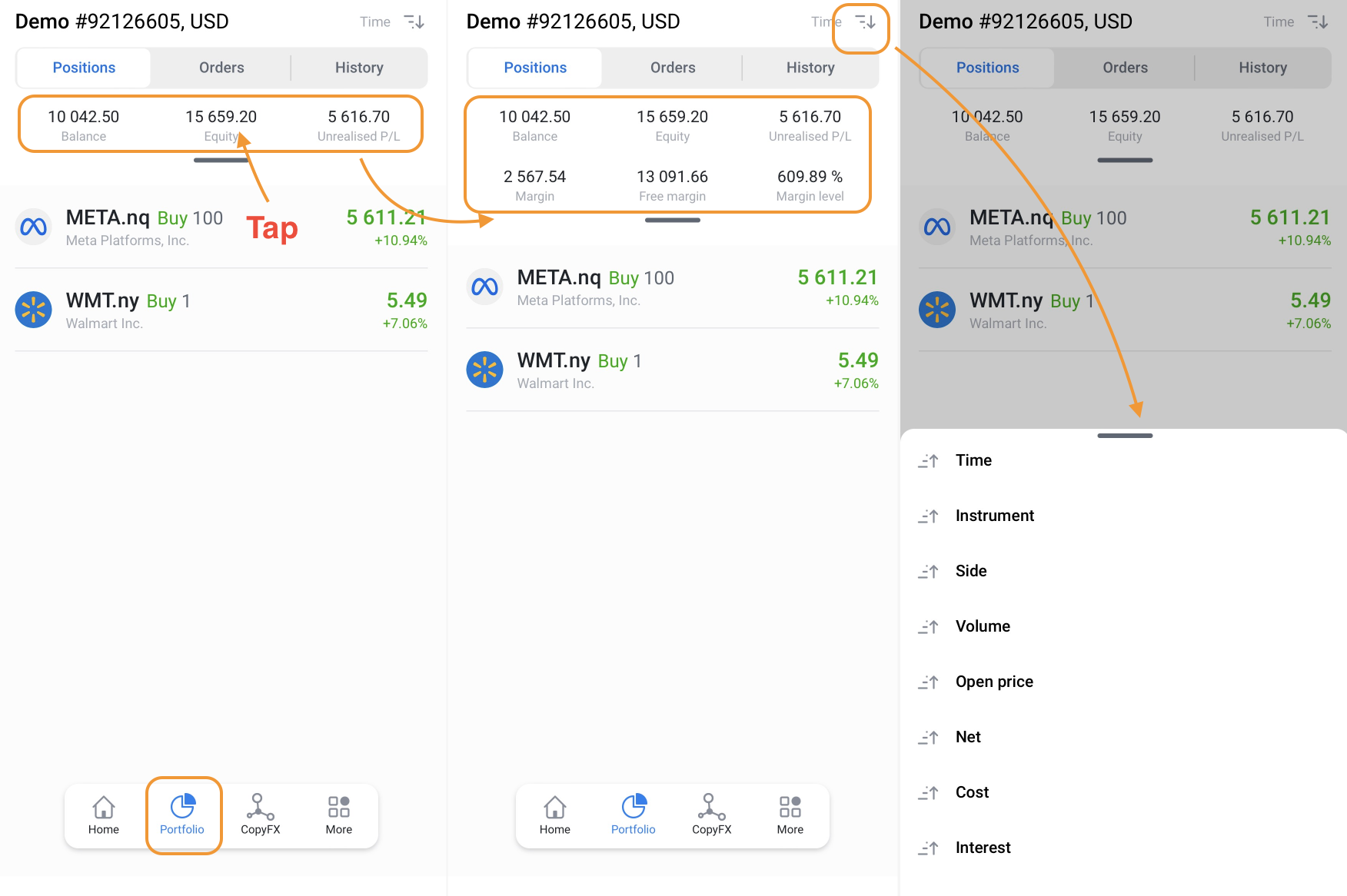
To view Positions, Orders, and History, go to the Portfolio tab.
In Positions, you'll first see information on Balance, Equity, and Unrealised P/L. Tap on these to view Margin, Free margin, and Margin level. You can read more about each definition here. Below this, you'll find all your open positions. You can group your positions by time, instrument, side, volume, open price, net, cost, and interest.
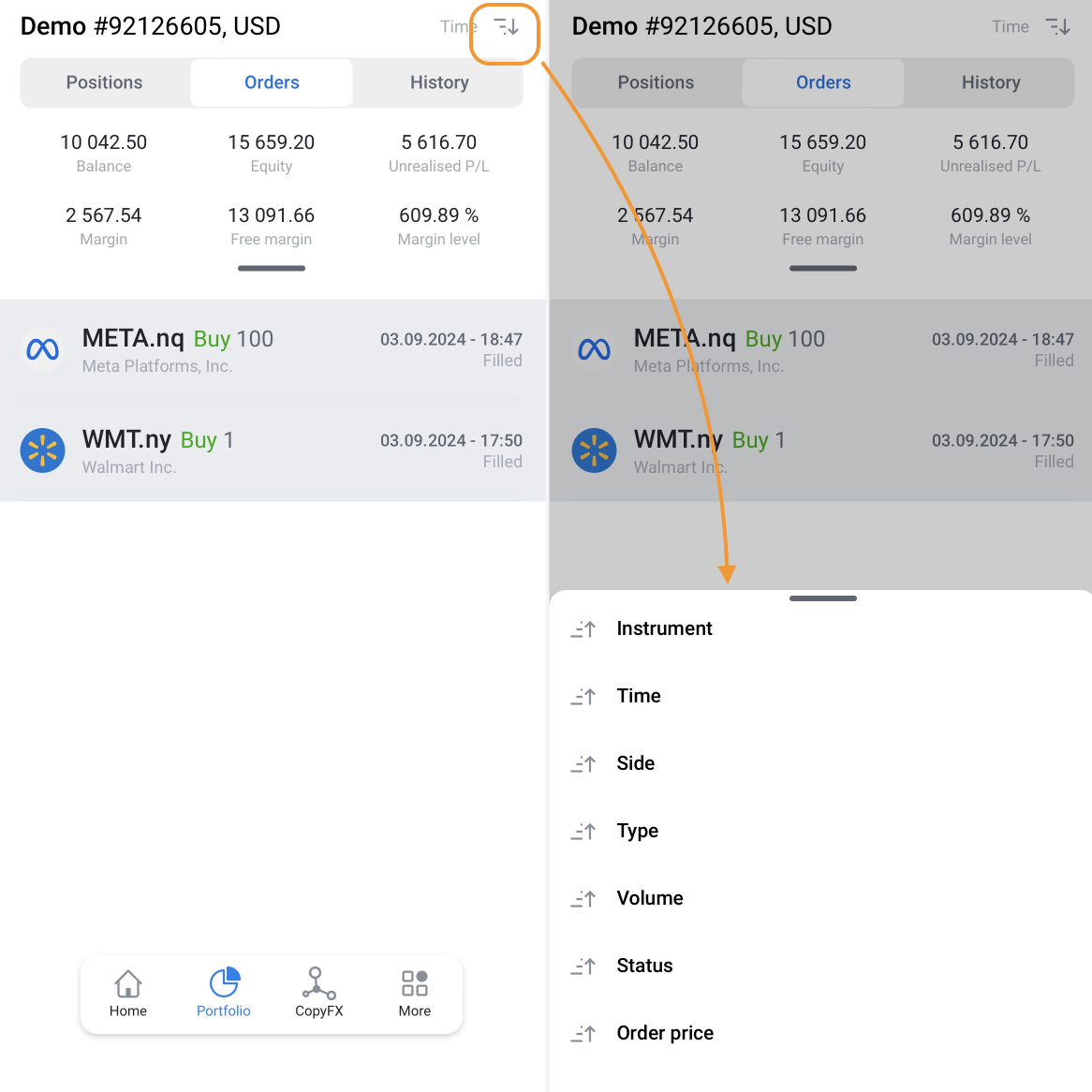
In Orders, you'll see all filled orders. These can be grouped by instrument, time, side, type, volume, status, and order price.
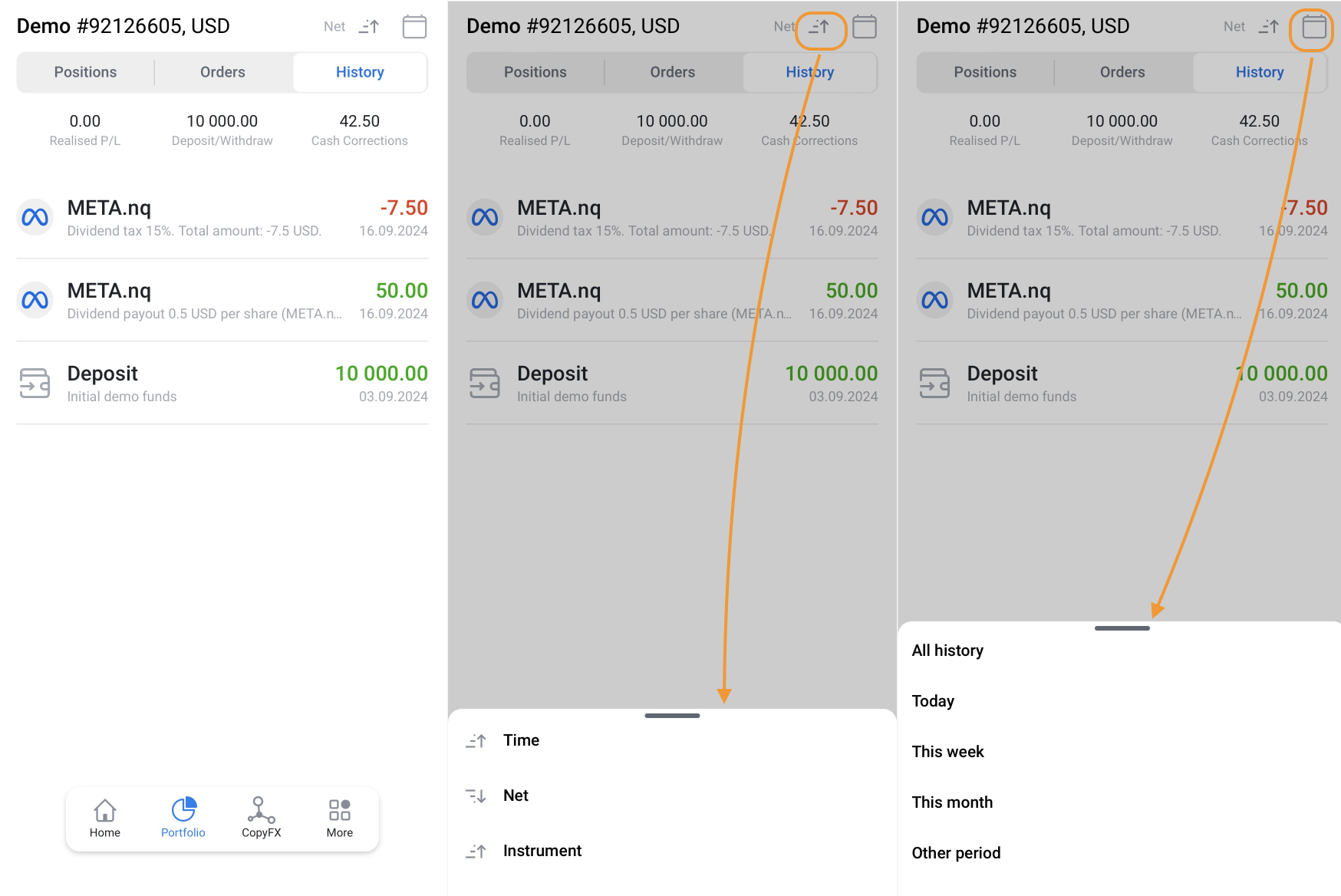
In History, you'll find details on Realised P/L, Deposit/Withdraw, and Cash Correction. Additionally, it includes information on received dividends and tax corrections. You can group this information by time, net, and instrument. You can also choose a specific period (all history, today, this week, this month, or a custom period).