To delete a chart window and change the display of charts in the web terminal, click the button "Charts layout" located above the chart, to the right of the search bar, and choose the desired layout.
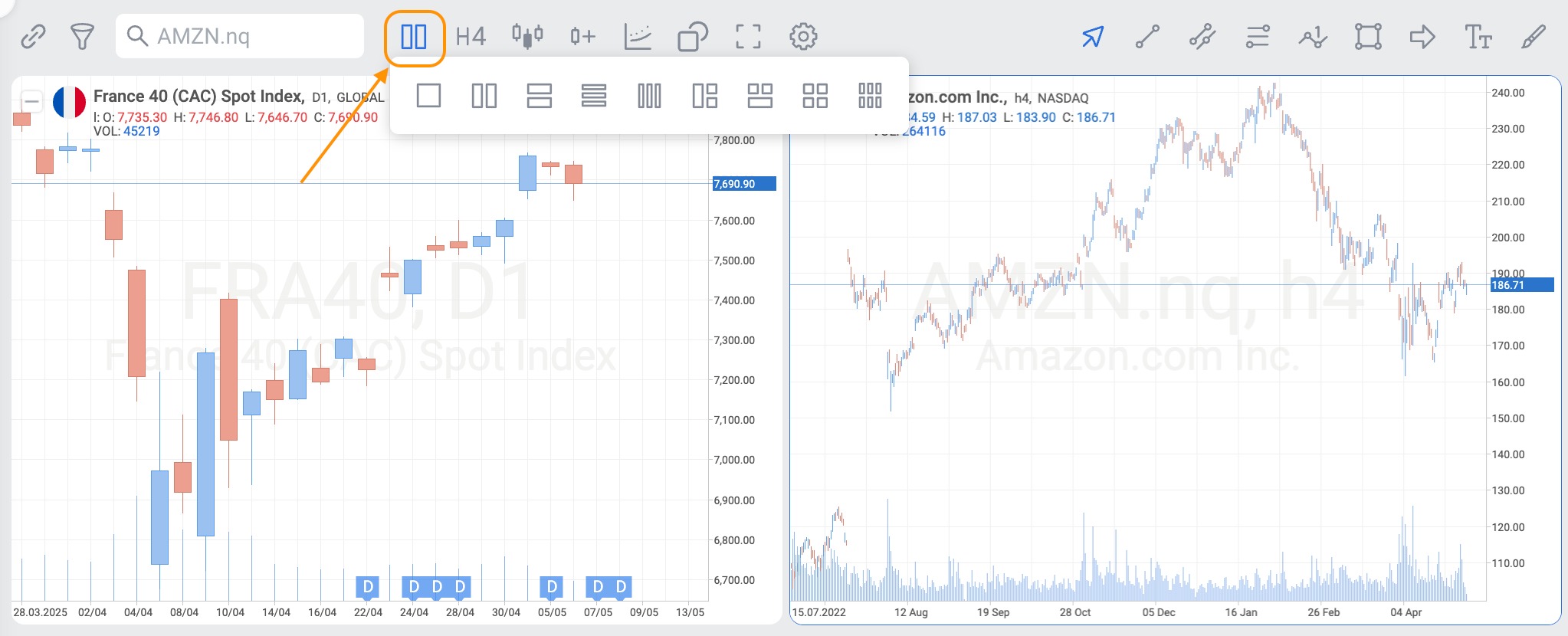
To delete a chart window and change the display of charts in the web terminal, click the button "Charts layout" located above the chart, to the right of the search bar, and choose the desired layout.
That’s Great!
Thank you for your feedback
Sorry! We couldn't be helpful
Thank you for your feedback
Feedback sent
We appreciate your effort and will try to fix the article