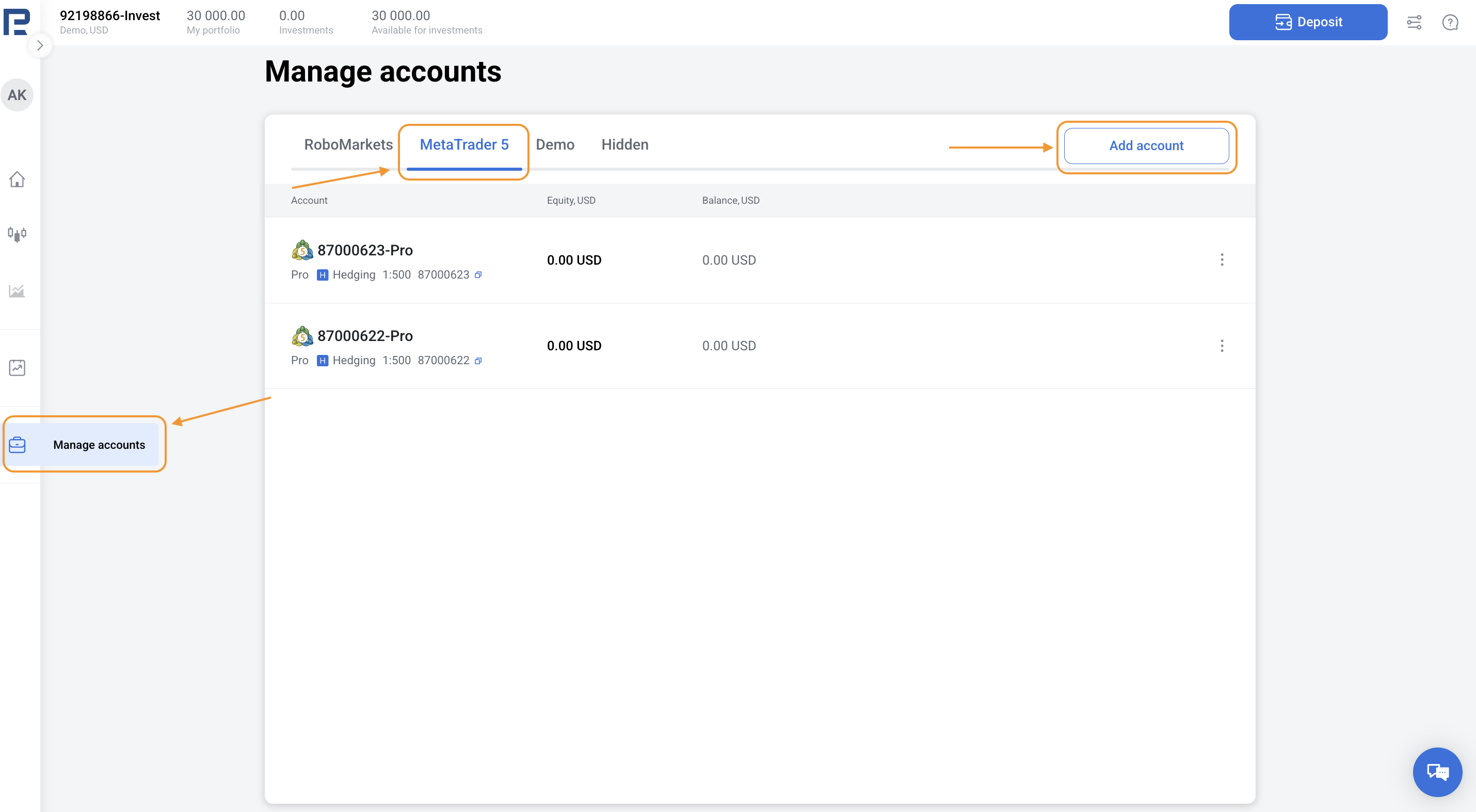
1. Go to Manage accounts in the left menu.
2. Choose the MetaTrader 5 tab and click Add account.
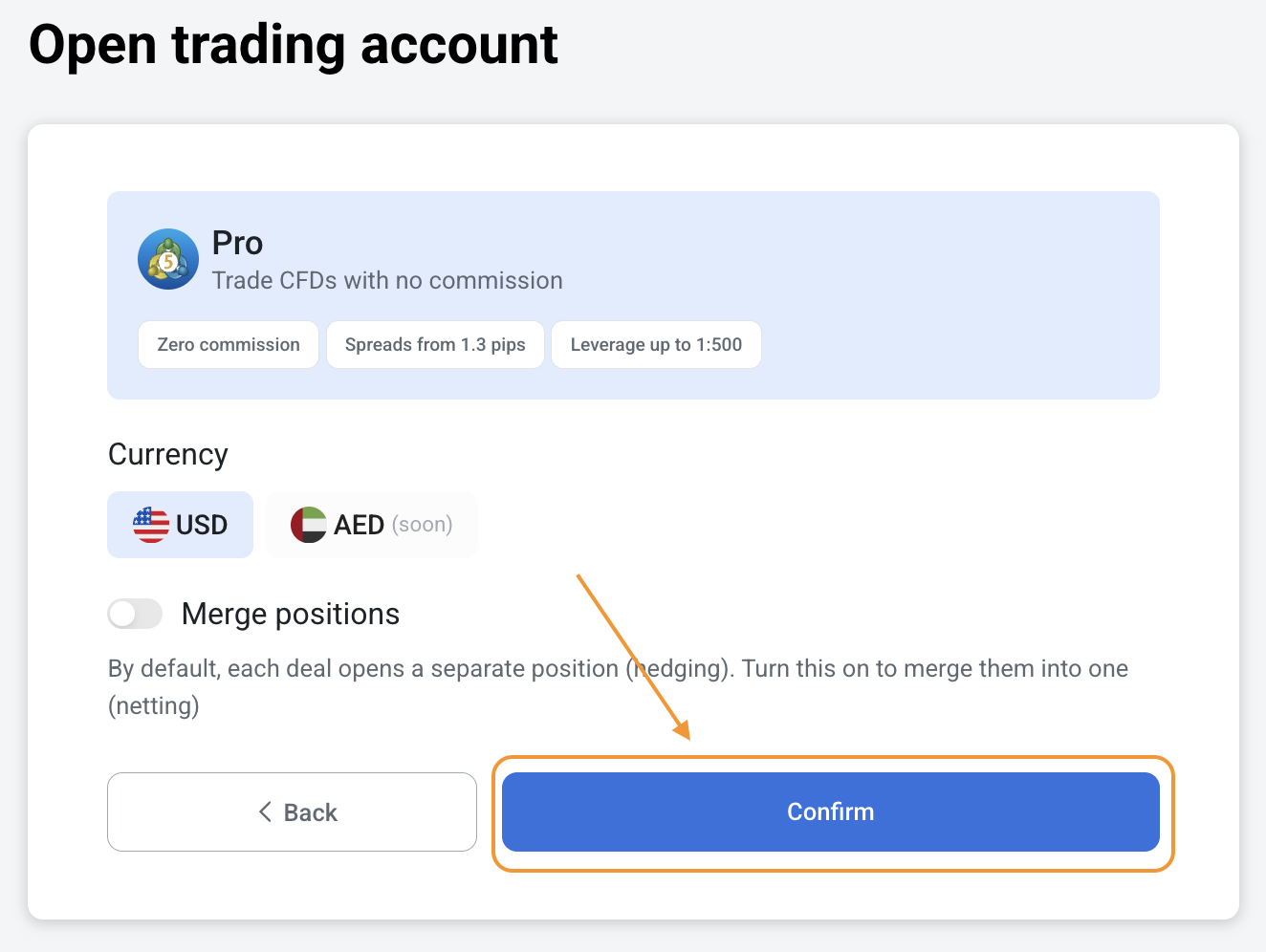
3. Choose Pro account type, currency, and position accounting model. By default, each deal opens a separate position (hedging accounting model). Turn toggle on to merge them into one (netting accounting model).
4. Click Confirm.
5. Make a deposit.