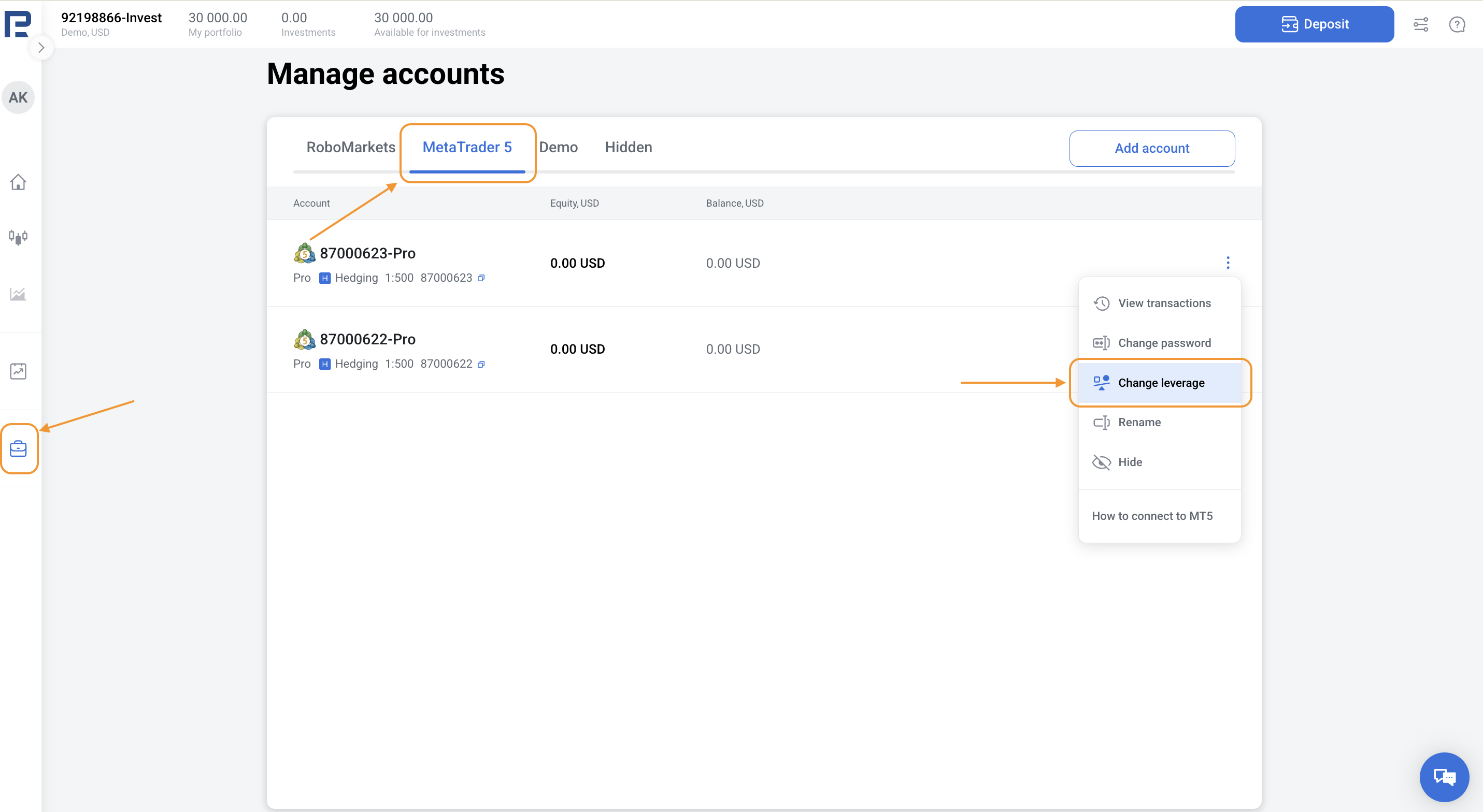
1. Go to the Manage accounts section in the left menu, and choose MetaTrader 5 tab.
2. Choose the account you’d like to update. Tap the three dots in the top-right corner and select Change leverage.
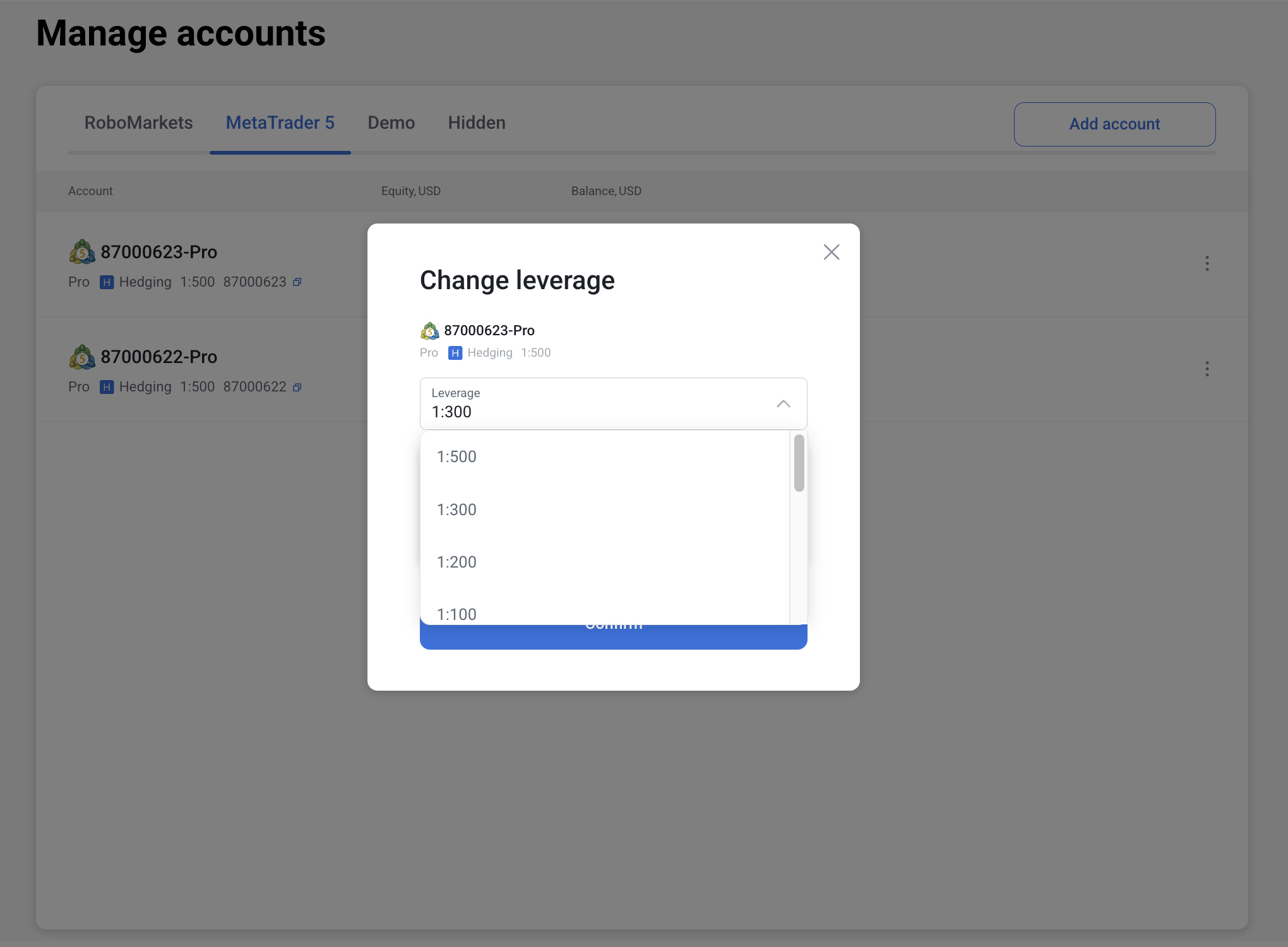
3. In the new screen, tap the arrow in the leverage field. The system will show you the available leverage options for this account.
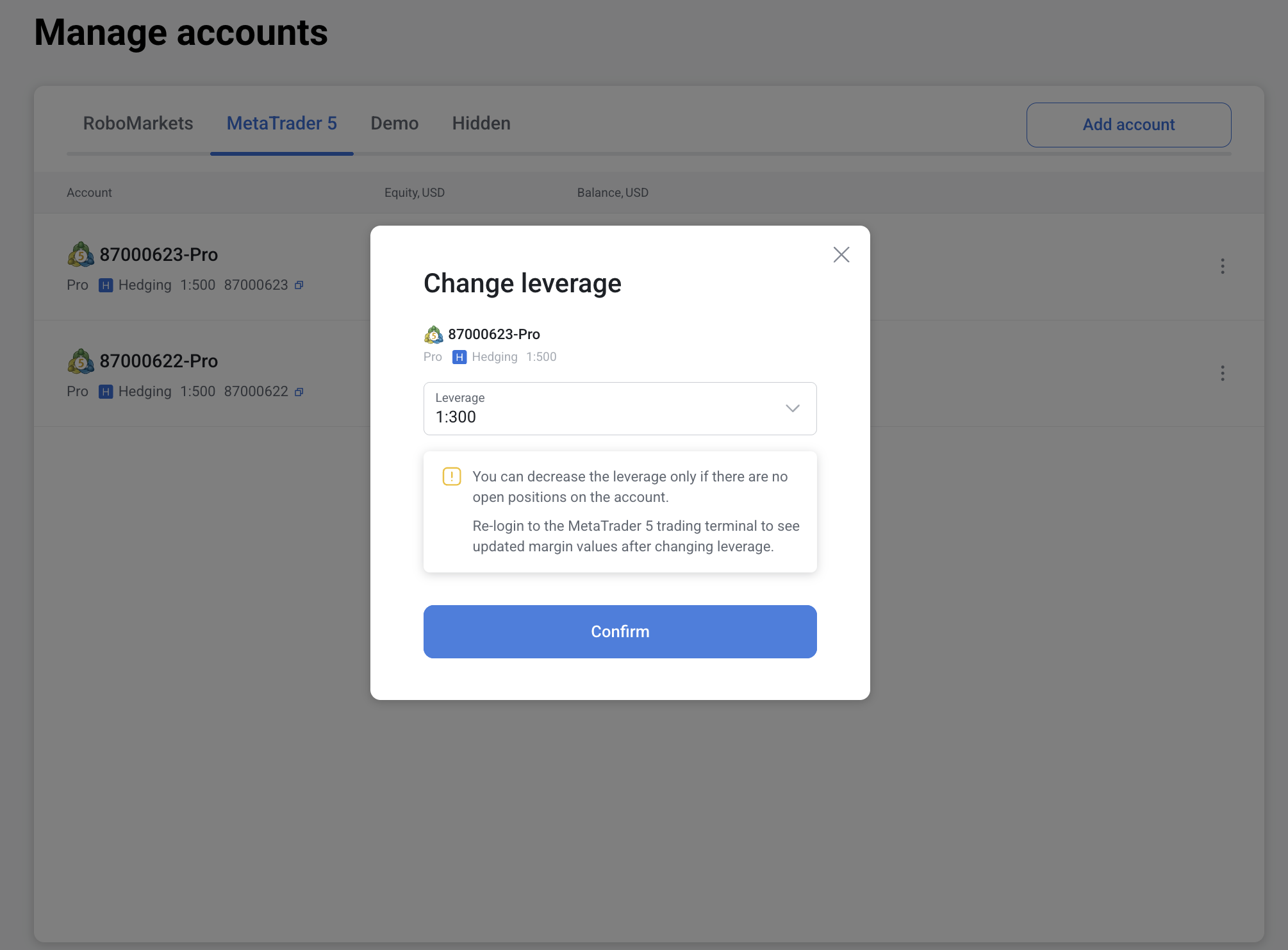
Select the leverage that suits your trading needs and click Confirm.
Please note: You can only reduce the leverage if there are no open positions on the trading account.