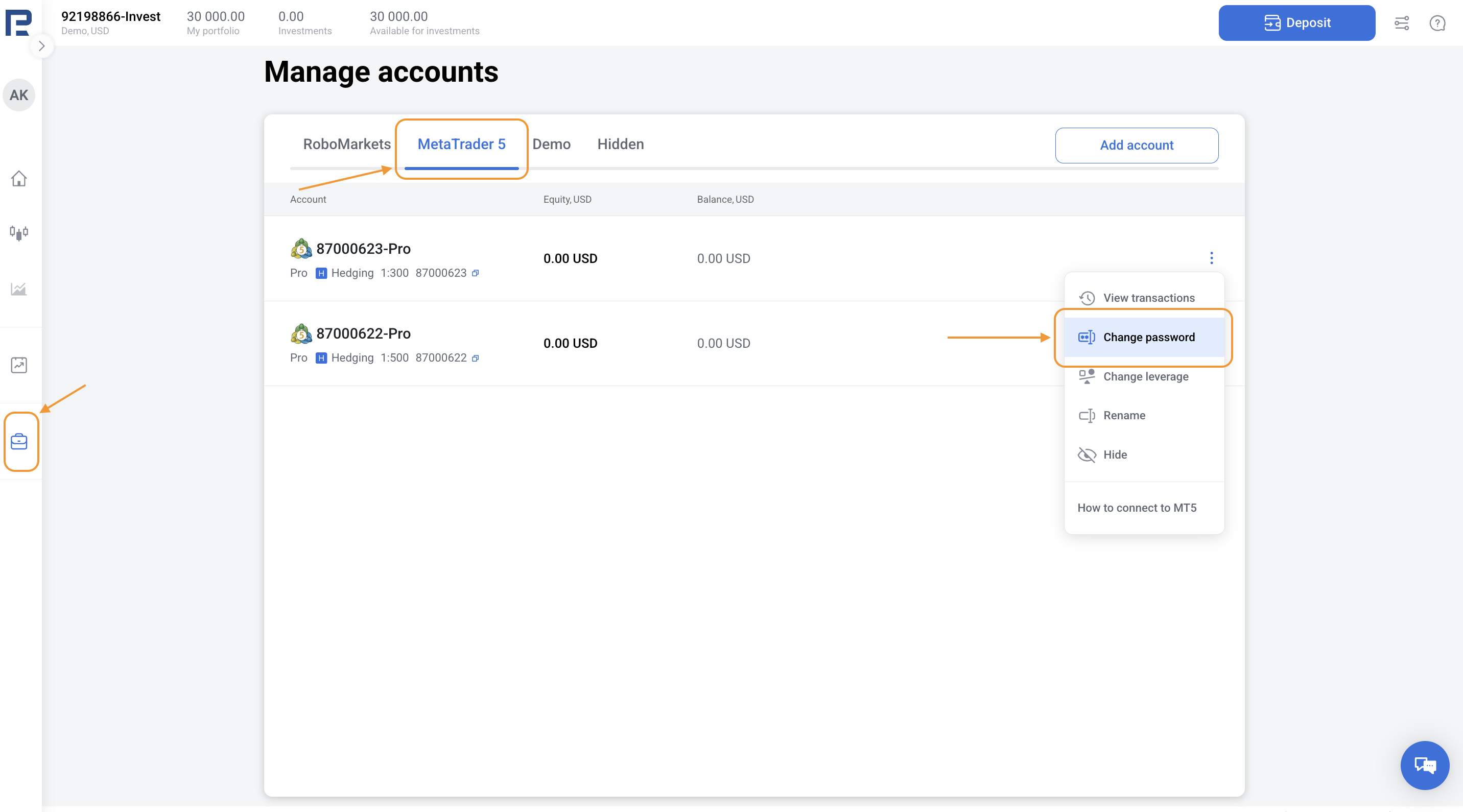
1. Go to the Manage accounts section in the left menu.
2. Choose the MetaTrader 5 account for which you want to change the password. Click the three dots in the top-right corner and select Change password.
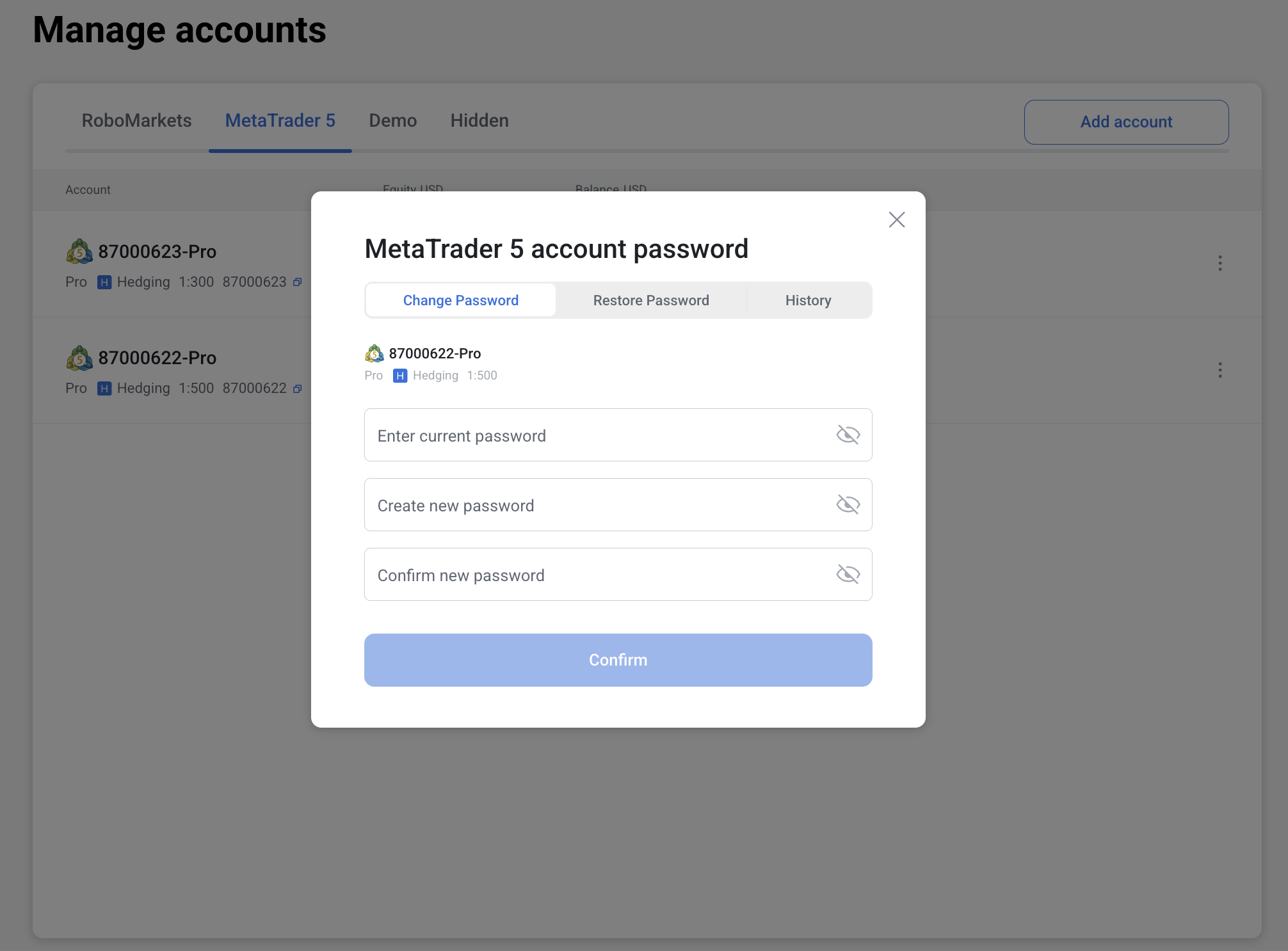
3. Enter your current password once and new password twice, then click Confirm.
4. If the passwords match, you’ll receive an SMS with a verification code. Enter the code in the field that appears and click Confirm.
5. Once the password is successfully changed, you’ll see the message: Password has been changed successfully.
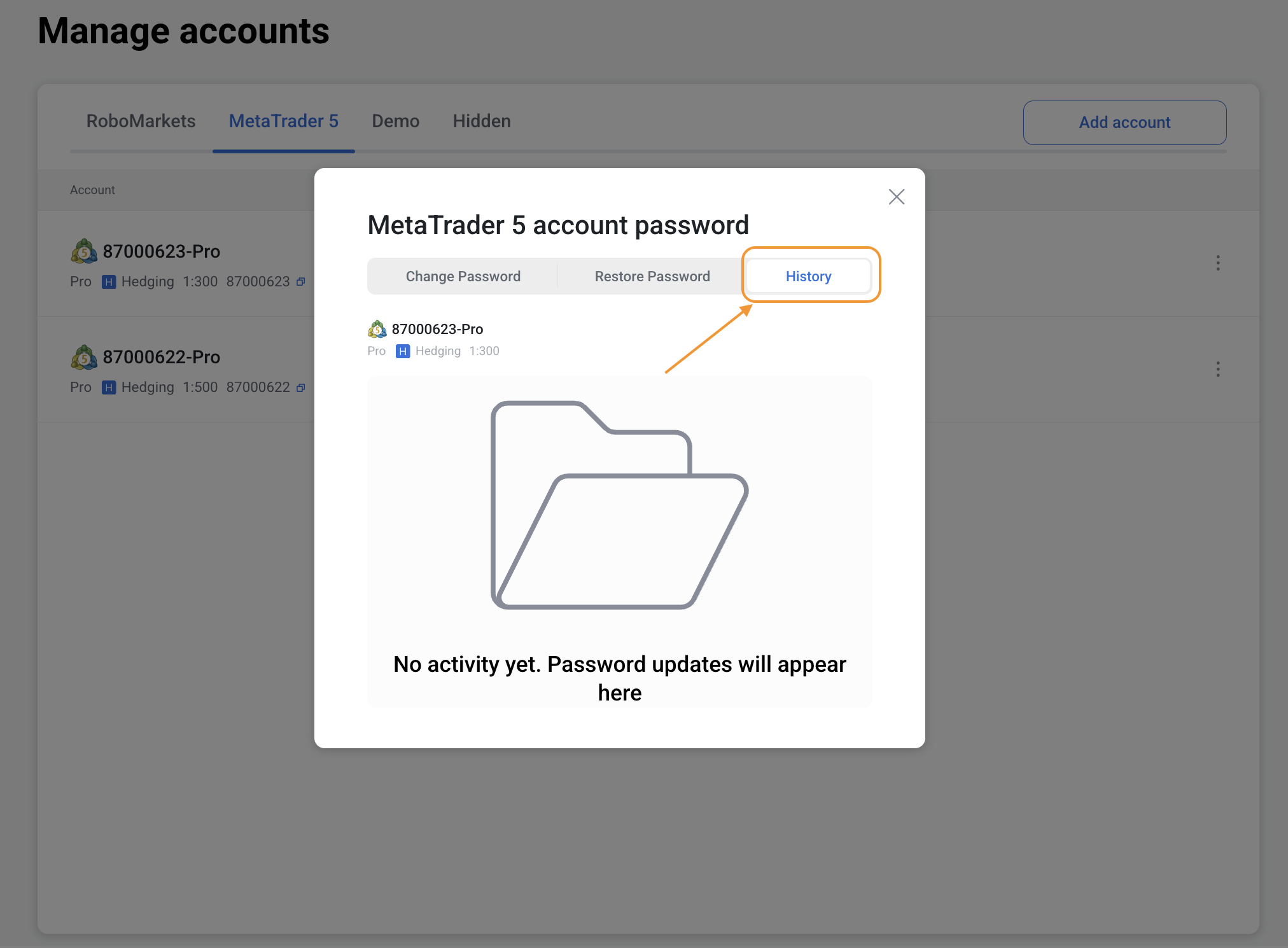
You can view your password change history under History tab.