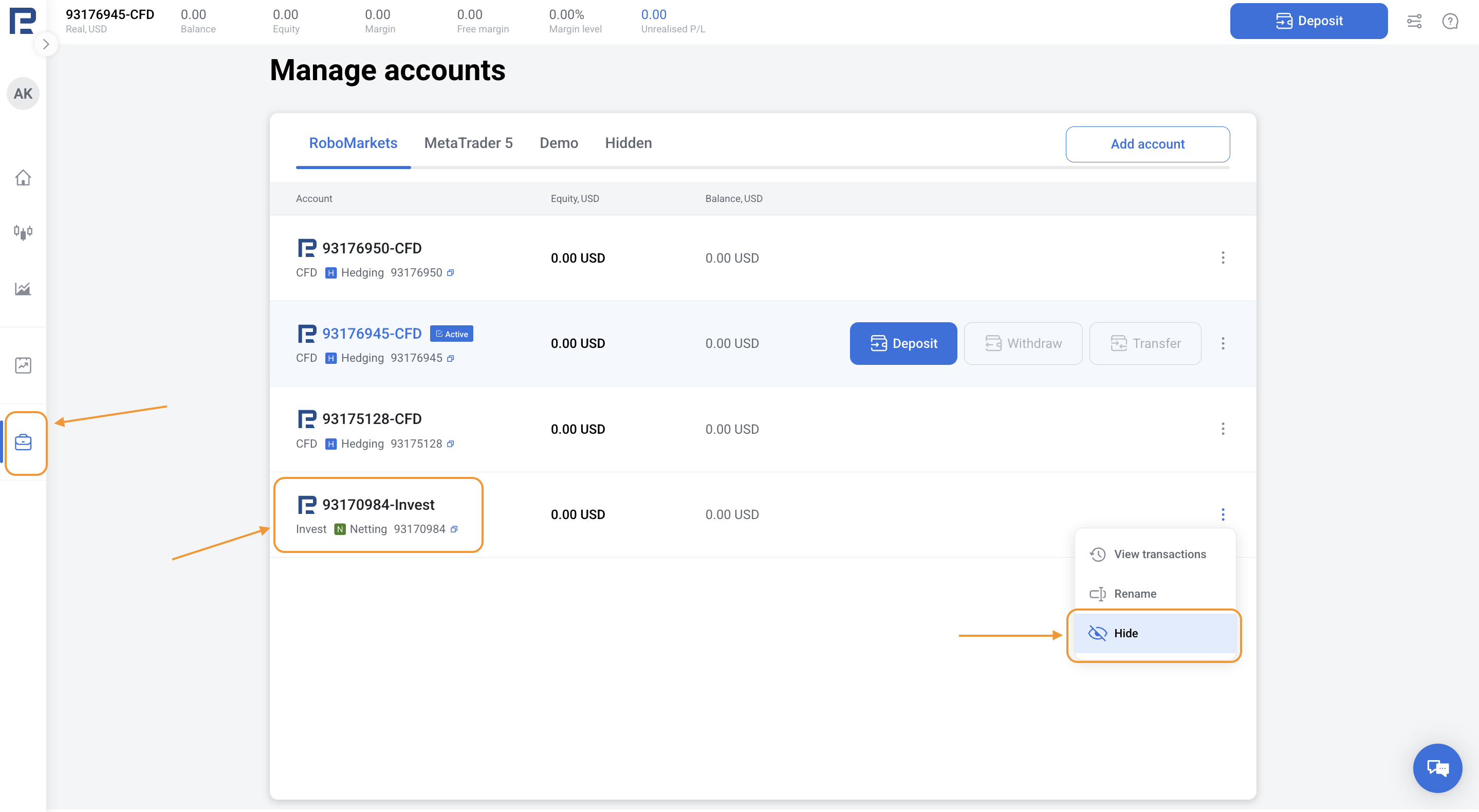
It is only possible to hide the account so that it is not displayed in the main list. To hide an account (either demo or real) on the platform, follow these steps:
1. Open web terminal.
2. Go to the Manage accounts section in the left menu.
3. Choose the account you wish to hide.
4. Click the three dots across the account you wish to hide.
5. Click Hide.