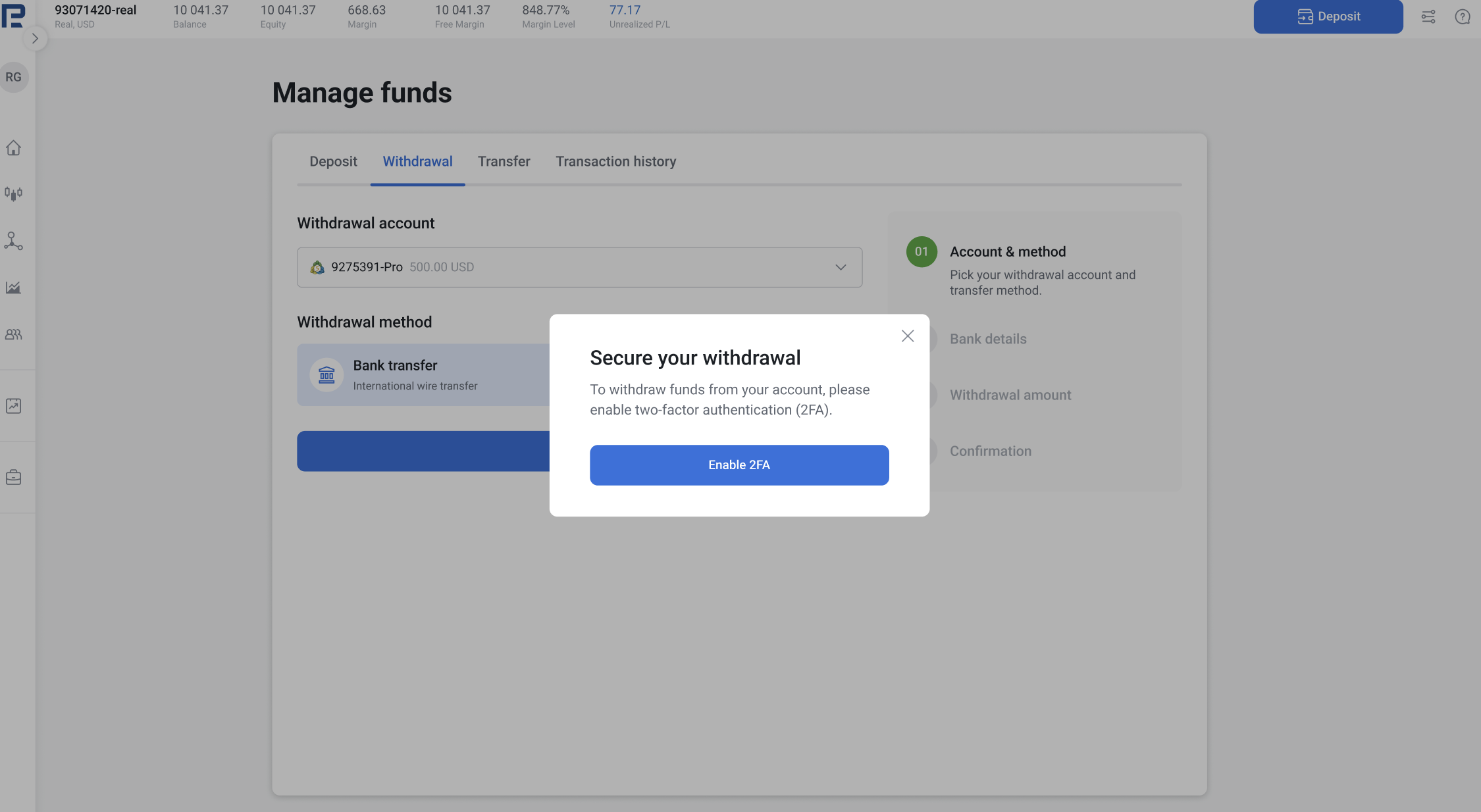
1. Go to Manage accounts - choose an account you want to withdraw funds from and click Withdraw. If 2FA is not enabled: First, activate 2FA. You won’t be able to complete a withdrawal without it.
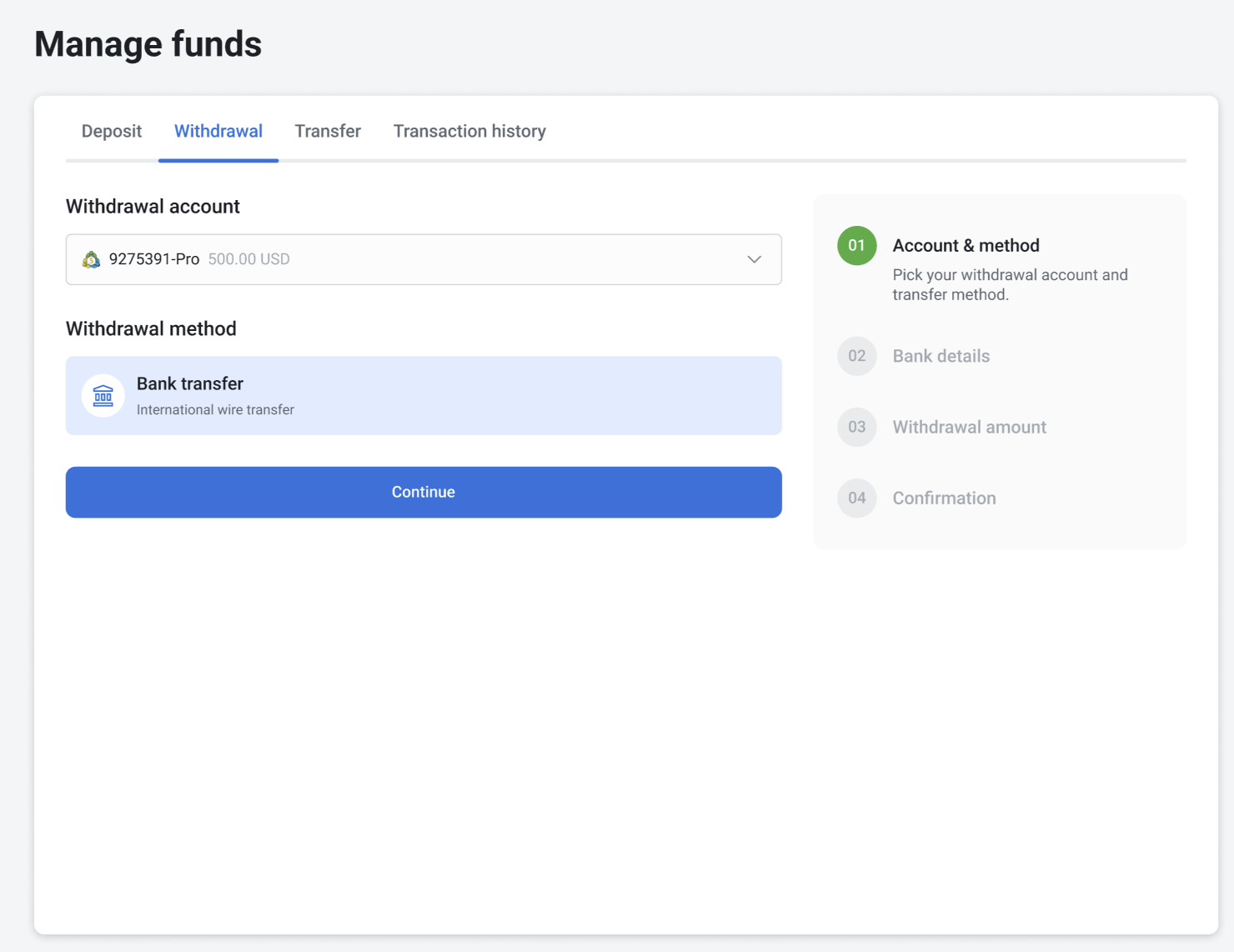
2. Choose the withdrawal method and click Continue.
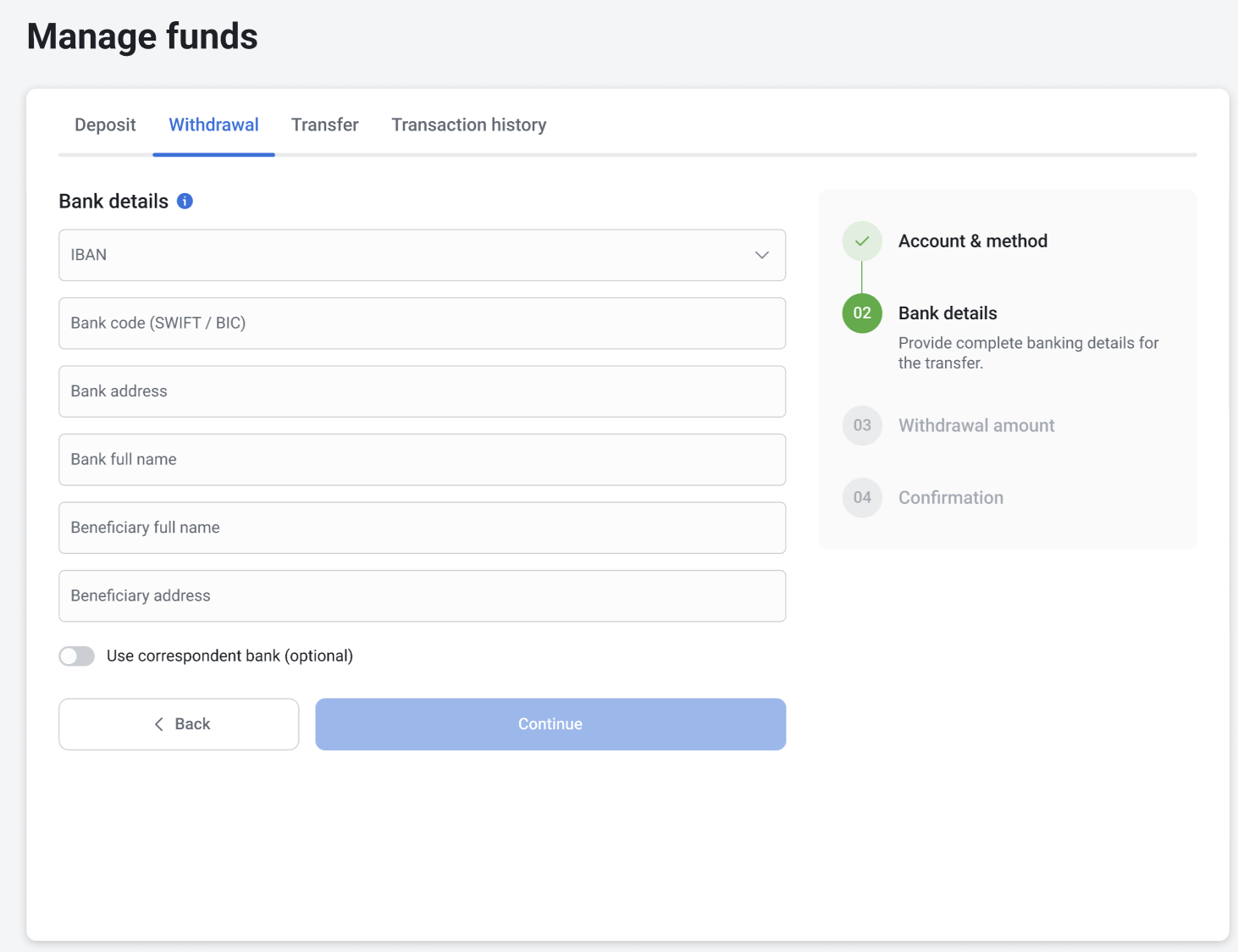
3. Fill in the bank details, such as IBAN, bank code (SWIFT/BIC), bank name, bank address, beneficiary's full name, and beneficiary's address. You can also optionally specify a correspondent bank.
4. Click Continue.
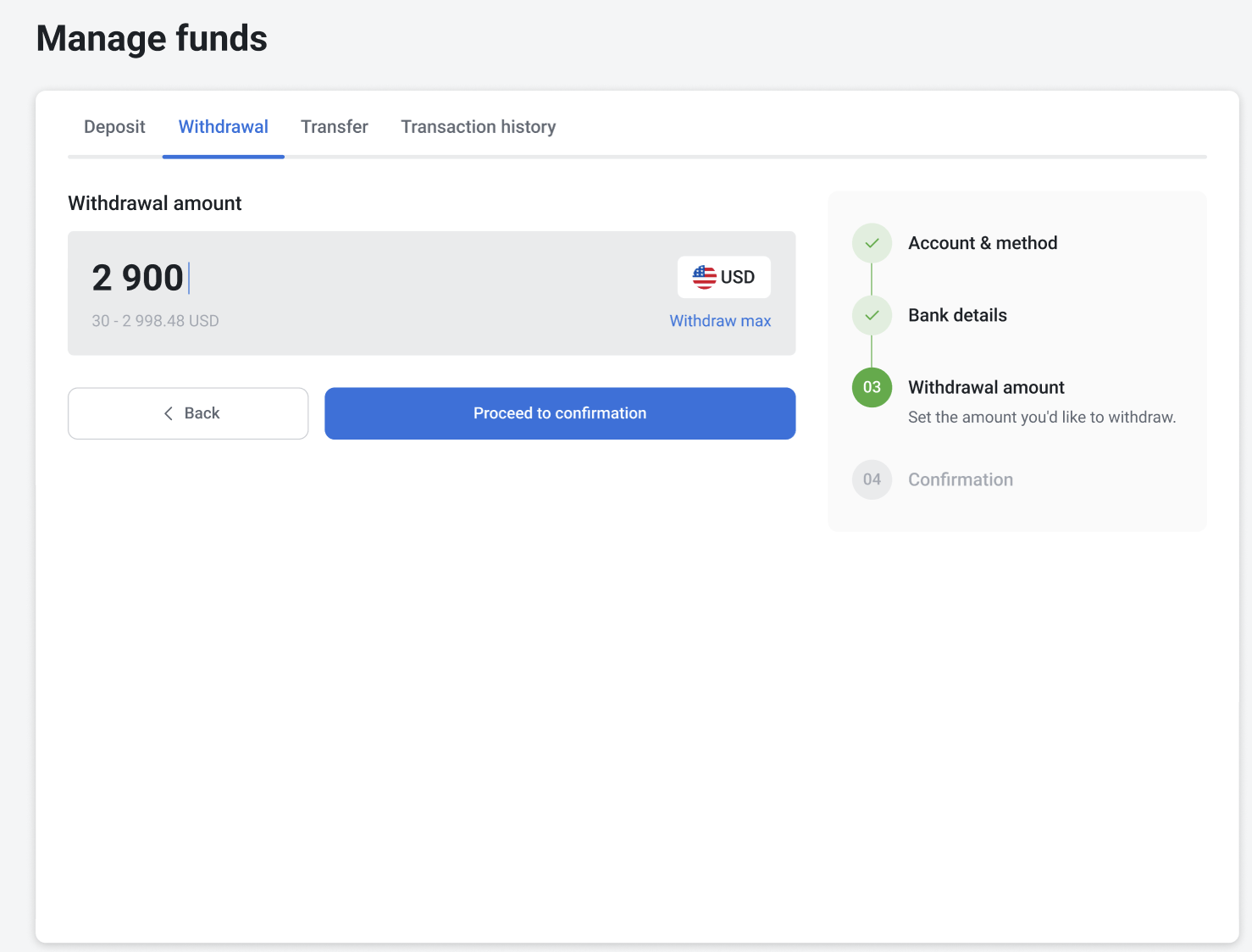
5. Enter the withdrawal amount and click Proceed to confirmation.
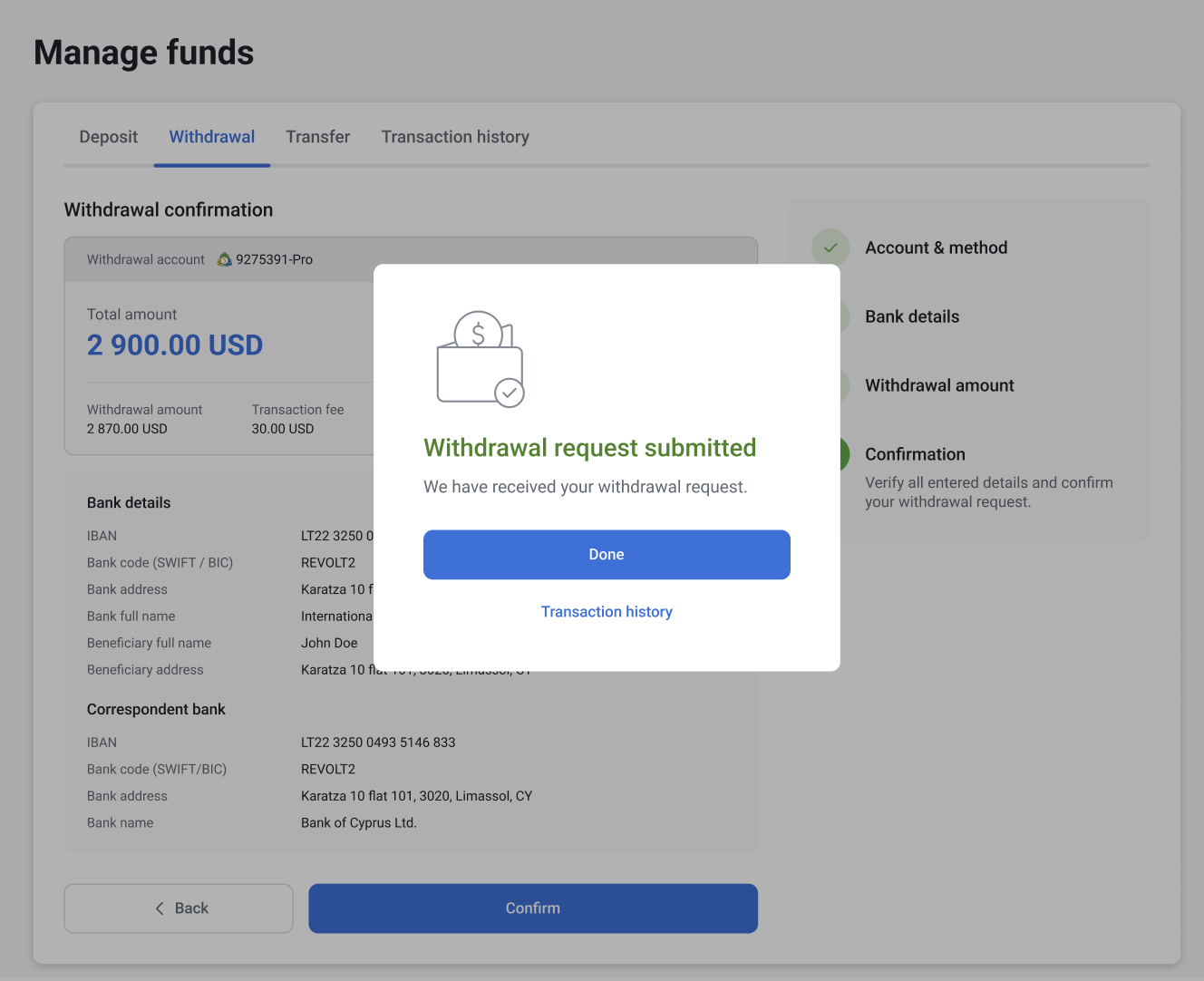
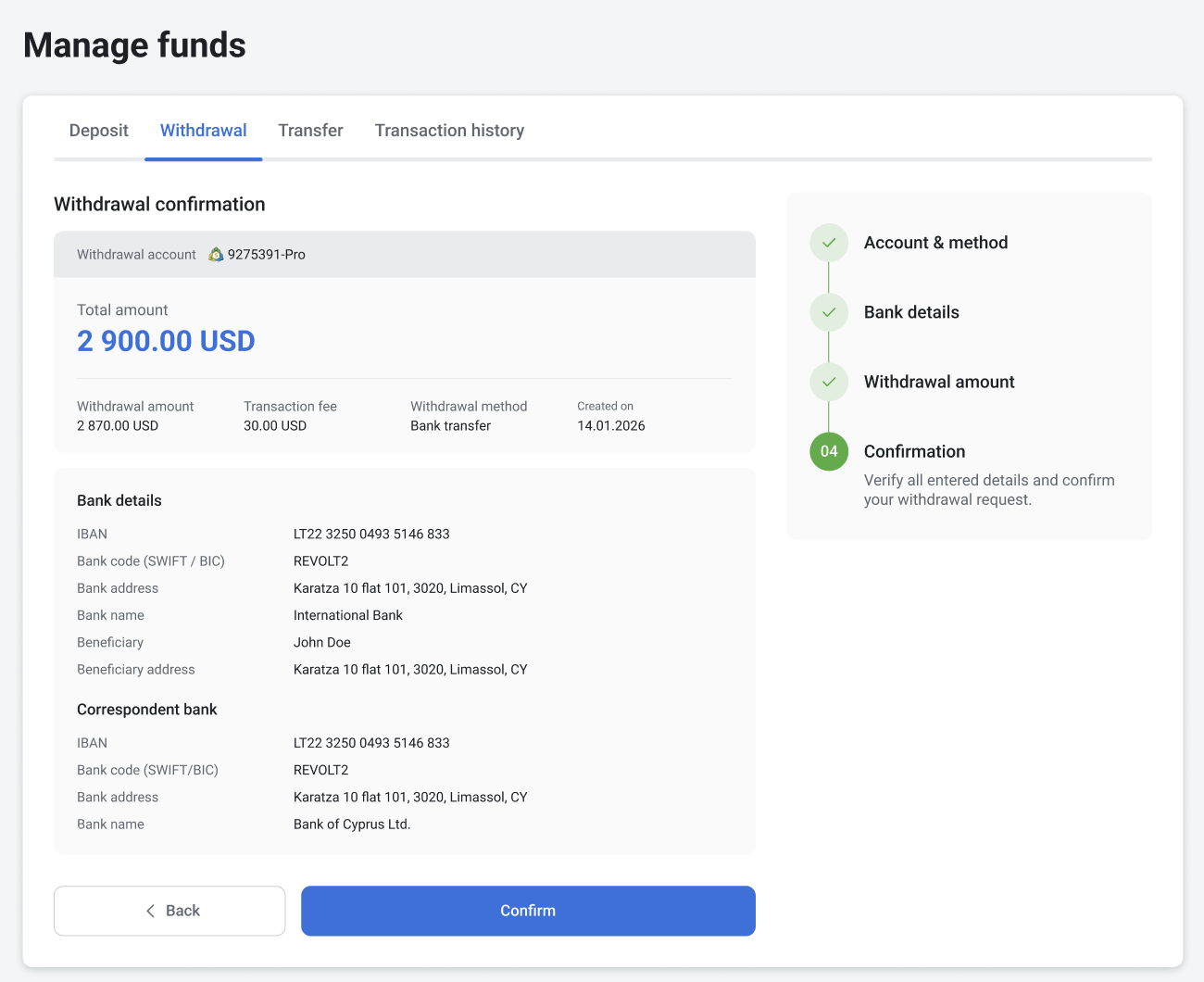
6. Review all payment and bank details and tap Confirm.
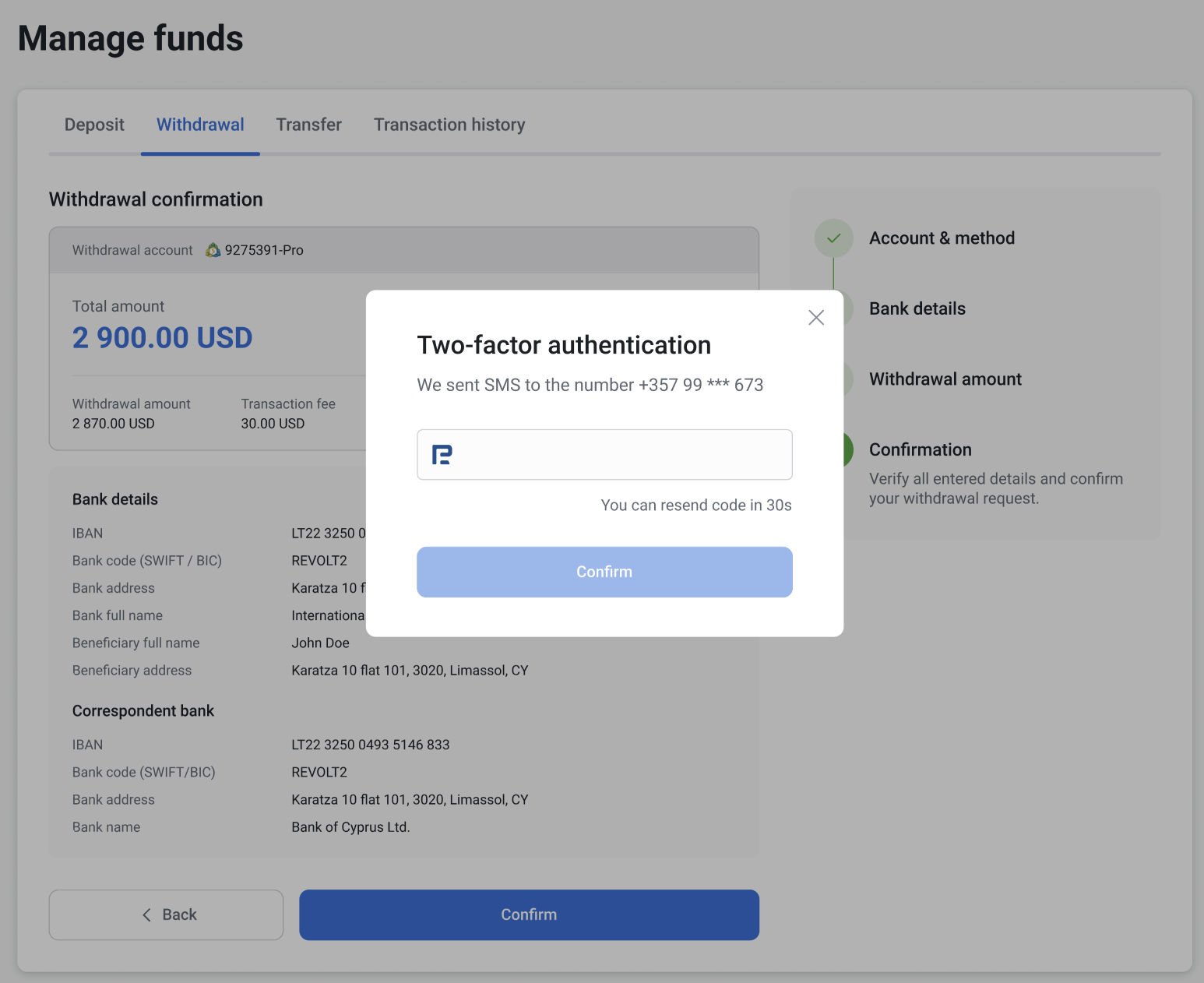
7. Enter the 2FA code sent to the phone number linked to your profile.
8. You will see a message: “Withdrawal request submitted."